
How Do You Make a New Clash of Clans Account (Step-by-Step Guide)
Clash of Clans is a popular strategy-based game where players can build their villages and protect them from enemies. It has many advanced and useful features like unlimited resources, gems, elixir, and coins. Many players want to start a new game or manage multiple accounts. If you’re wondering how to make a new Clash of Clans account, this complete guide will help you a lot.
The benefit of signing up for a new COC account is that you can enjoy the early game challenges again. You can also apply your old, powerful strategies to win missions and grow your account quickly.
Why create a New Clash of Clans Account
A few reasons to create a new COC account:
- You can start the game with new strategies.
- You want to run multiple COC accounts for fun or to learn new things.
- You lost your old account or gave it to someone else, that’s why you want to start a new one.
- You’re playing Clash of Clans on a new device.
Requirements to Create a New Account
- You should have a Google account for Android or an Apple Game Center account for iOS.
- Before making a new account, connect to a stable internet connection.
- If you want to start a new account, then you need to log out of your old account
How to Create a New Clash of Clans Account
For Android Users
- Open your mobile settings
- Go to Accounts & Sync > Google Accounts.
- Tap on Add account and create a new Google account or use another one.
- Open the Clash of Clans game.
- Log in with your newly created Google account.
- After that, a new COC village will appear for you.
- Congratulations! Your new account is ready to play.
Also for iOS
- Log in to the game with your new Apple ID.
- After logging open the game and start playing with a new, fresh account.
Important Tips
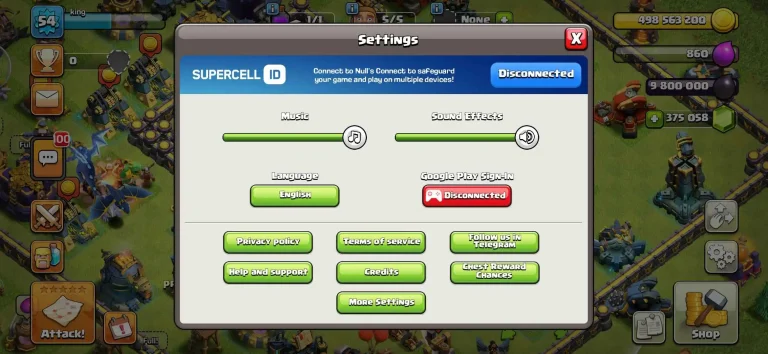
One thing to keep in mind is that don’t delete your old COC account. You can switch between accounts using Google Play Games(Android) or Game Center (iOS devices and Mac). If using Supercell ID, you can link multiple accounts and switch easily without losing your progress.
Final Words
Creating a new COC account is very simple and safe, whether you’re using Android or iOS. If you’re starting a fresh account, trying new, powerful strategies, or you’re managing different accounts, make sure to connect your accounts to a Suoercell ID to avoid data loss. Play Clash of Clans with proper plans and take your village to the next level.
In this article, we taught you how to make a new COC account. If you have a query related to this, feel free to reach out to us. We will be glad to help you.
Want to change your username in coc account? check this:
how to change your username in coc account
also check:
FAQs
Is it safe to make multiple COC accounts?
Yes, it is completely safe to manage multiple accounts, also allowed by Supercell. You can enjoy the gameplay without any restrictions because Supercell can handle all accounts.
Do I need to delete my current account to start a new one?
No, you don’t need to delete your first account. Simply log out and start a new village using your new account.
Is SuperCell ID free to use?
Yes, Supercell ID is completely free and recommended for account safety and multi-account management.