
How to Delete Clash of Clans Account: Step-by-Step Guide
Clash of Clans is a popular and interesting game that attracts users through its strategic features and planning. If you are wondering how to delete Clash of Clans account then you are in the right place. Many users want to delete their accounts but there is no direct option in the game to do so.
The Clash of Clans account is directly linked to Google Play, Game Center, or Supercell ID, so that is why it’s a little bit tricky to delete your Clash of Clans account. In this article, I will guide you on how to remove the Clash of Clans account. So follow the below steps.
Guidelines to delete Clash of Clans APK
If you follow these steps then it’s easy for you to delete your account. The delete option is only for the 11.49.4 version or above, which was released in 2019.
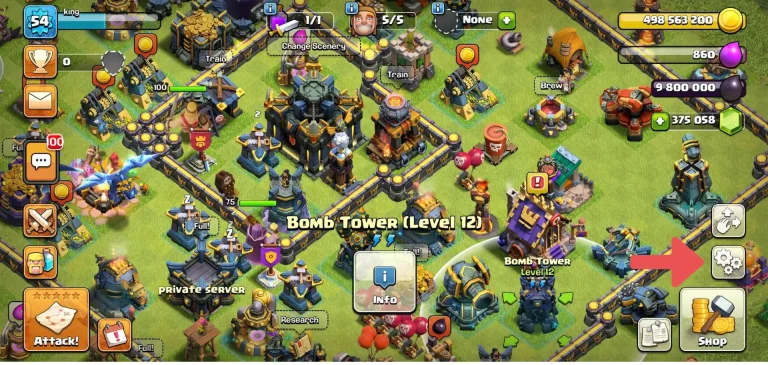
Start the Game and Go to Setting
Open your Clash of Clans apk and then open your settings of the game. The setting option is present in the bottom right corner of the screen just below the shop option.
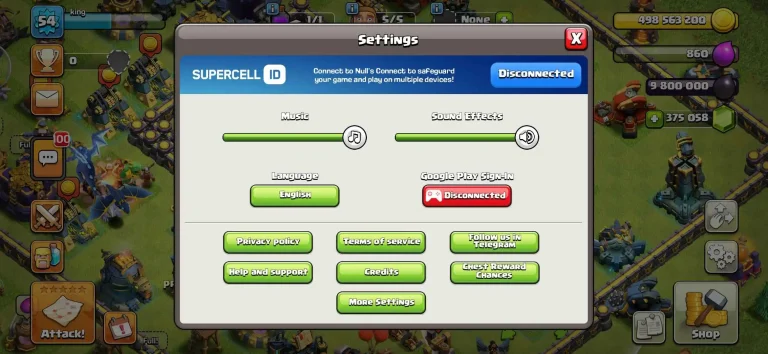
Other Settings
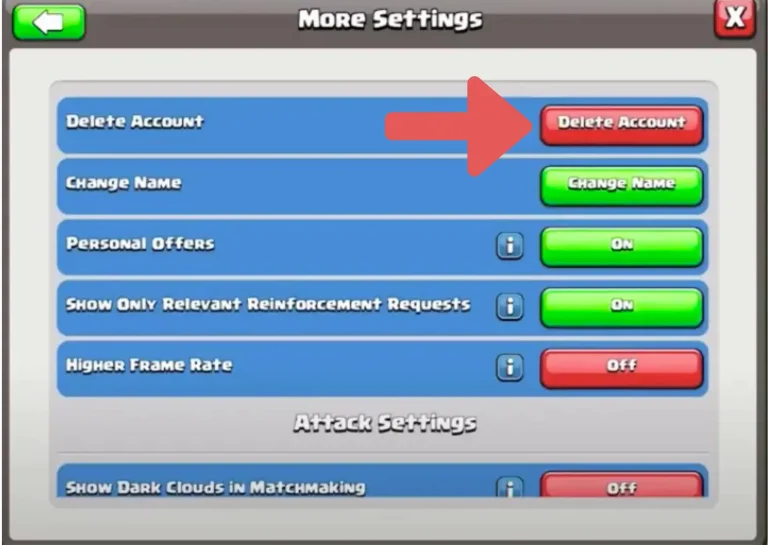
After opening the settings then click on more settings.
Delete Account
After clicking on more settings, then clicking on the delete account option that would be present at the top among all options. if you want to change your username you can visit: How to Change Your Username in COC Account
Final Steps
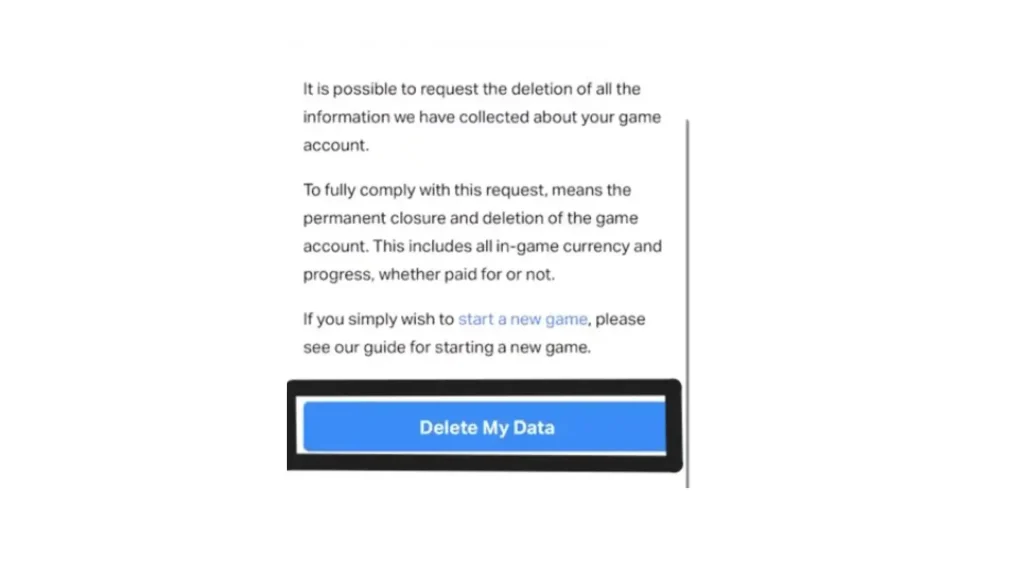
Once you complete all steps lastly it will give you the option to delete data. Now click on delete data to permanently delete your COC account and your progress in the village automatically all of your data will be deleted.
Key Points
Conclusions
It is very difficult for users who are addicted to the COC game because it is a very powerful and strategy-based game. At starting of the game you have nothing, limited resources weak defense system, gradually you increase the game level making your village strong in both your defense systems and unlimited resources that’s why it difficult for you to delete you account.
In this article, we give you complete information that how to delete your COC account easily. If you have any problems related to this feel free to reach out.
FAQs
Can I delete my Clash of Clans account permanently?
Yes, you can delete your COC account permanently one thing to keep in mind is that the version should be 11.49.4 or above.
What happens after I delete my COC account?
Once you delete your COC account, all your village performance and data will be removed permanently. It can be recovered by contacting the support community and it is difficult a little bit.
Is deleting my account the same as uninstalling the game?
No, uninstalling the game will not delete your account or village progress. If you want to delete the account permanently then you need to follow the complete steps from within the game settings.